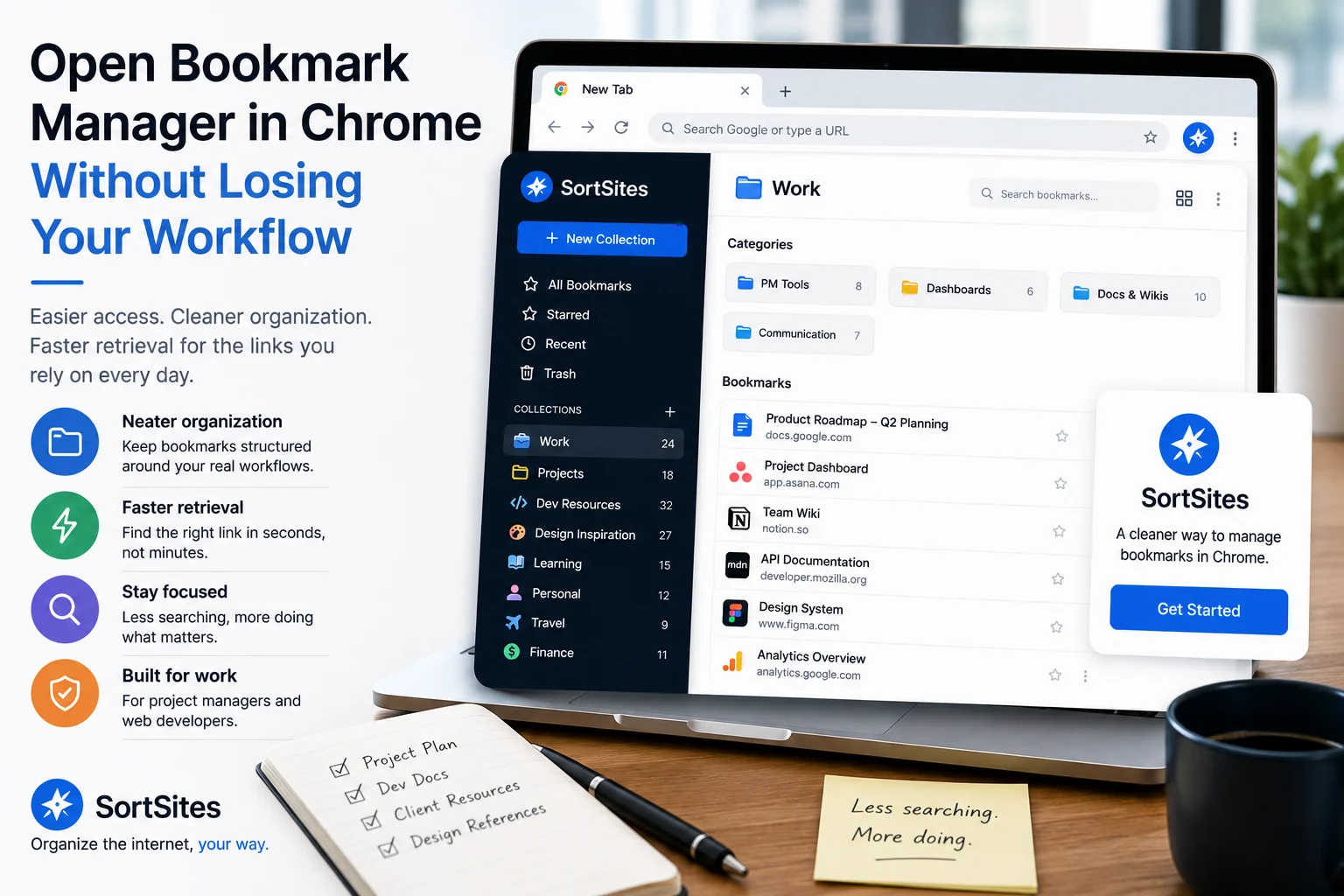
Sortsites helps you move past the frustration of trying to open Bookmark Manager in Chrome by giving you a cleaner way to organize and retrieve the links you rely on for work.
Key takeaways
- If you cannot find bookmark manager in Chrome, the bigger issue may be that your saved links are no longer easy to manage.
- Opening a bookmark manager only solves access. You still need a system that keeps bookmarks organized after you save them.
- Sortsites is a Chrome bookmark manager extension built for people who want neater bookmark organization and quicker retrieval.
- Project managers and web developers benefit most when bookmarks are arranged around real workflows instead of scattered browser clutter.
The real problem is not only opening the bookmark manager
When you search for how to open bookmark manager Chrome, you are usually trying to get back to a link quickly. The access problem is immediate, but the workflow problem is deeper.
If your bookmarks are hard to find, opening the manager again may only show you the same messy structure. That creates a loop: save links, lose track of them, search again, then waste time rebuilding context.
For project managers and web developers, that friction is costly because bookmarks often point to active work: project references, documentation, dashboards, research, client resources, and tools. A better system should make the next retrieval easier, not just the next save possible.
1. Identify what you keep losing
Notice the types of bookmarks you struggle to retrieve, such as project resources, development references, planning links, or workflow tools.
2. Separate access from organization
Opening Chrome bookmark manager helps you reach saved links, but organization decides whether those links are easy to use later.
3. Choose a Chrome-based organizer
Use a bookmark manager extension when you want your bookmark workflow to stay inside the Chrome browser.
4. Sign up when your current setup slows you down
Sortsites fits when your main need is a neater way to organize bookmarks and manage browser-based work.
How Sortsites helps when Chrome bookmarks feel hard to manage
Sortsites is a Chrome browser bookmark manager extension for organizing bookmarks. It is designed for users who need a neat way to manage saved links and retrieve them more quickly inside their Chrome workflow.
Chrome-focused workflow
Sortsites fits users who depend on the Chrome browser for daily work and want bookmark organization to stay connected to that environment.
Cleaner bookmark organization
The product addresses the core problem of messy bookmark management by helping you keep saved links in a more organized system.
Faster retrieval mindset
Sortsites is useful when the goal is not just storing links, but finding the right bookmark when work depends on it.
Built for work-heavy users
Project managers and web developers can use Sortsites as a more practical bookmark organizer for managing workflow-related links.
When Sortsites is a better fit than relying on basic bookmark access
Choose Sortsites if opening Chrome bookmark manager is only the first step and your real problem is keeping bookmarks neat enough to use later. It is a strong fit when your saved links support projects, development work, research, planning, or recurring workflows.
You may not need Sortsites if you only save a few casual bookmarks or if your current Chrome setup already lets you retrieve everything quickly. The value becomes clearer when bookmark volume and work complexity make your existing system feel unreliable.
- You use Chrome as your main browser.
- You regularly lose time looking for saved links.
- Your bookmarks support work tasks, not just casual browsing.
- You want a bookmark organiser rather than a broad productivity tool.
- You are ready to sign up for a more structured way to manage bookmarks.
Opening the bookmark manager helps you reach your saved links. A better bookmark organization system helps you trust that you can find them again.
What to do after you find your bookmarks
Once you can access your saved bookmarks, look at the pattern behind the mess. If the same links keep disappearing into folders, old names, or scattered work contexts, the next step is not more searching. The next step is choosing a bookmark manager that matches how you actually work.
Sortsites is built around that practical need: cleaner organization and quicker retrieval for Chrome users who depend on bookmarks during the workday.
For the broader product overview and how Sortsites fits the full Chrome bookmark manager workflow, visit the main Sortsites Chrome bookmark manager page.
Access and usage questions
FAQs
What should I do if I cannot find bookmark manager in Chrome?
Start by treating it as both an access issue and an organization issue. Once you can reach your saved links, decide whether your current bookmark setup is still helping you retrieve them quickly.
Is Sortsites a replacement for messy bookmark organization?
Sortsites is a Chrome bookmark manager extension for people who want a neater way to organize bookmarks and manage workflows.
Who is Sortsites best for?
Sortsites is best suited to project managers and web developers who use Chrome and need a cleaner bookmark retrieval system.
Should I sign up if I only have a few bookmarks?
If your bookmarks are already easy to find, you may not need a dedicated organizer yet. Sortsites becomes more useful when saved links start affecting your workflow and retrieval speed.
Turn Chrome bookmark access into real organization
Install Sortsites when you need a cleaner Chrome bookmark manager that helps you organize saved links and retrieve them with less friction.
Leave a Reply